Showing posts with label parrot. Show all posts
Thursday, February 2, 2017
IceCube Flies with Parrot and CVMFS
IceCube is a neutrino detector built at the South Pole by instrumenting about a cubic kilometer of ice with 5160 light sensors. The IceCube data is analyzed by a collaboration of about 300 scientists from 12 countries. Data analysis relies on the precise knowledge of detector characteristics, which are evaluated by vast amounts of Monte Carlo simulation. On any given day, 1000-5000 jobs are continuously running.
Recently, the experiment began using Parrot to get their code running on GPU clusters at XSEDE sites (Comet, Bridges, and xStream) and the Open Science Grid. IceCube relies on software distribution via CVMFS, but not all execution sites provide the necessary FUSE modules. By using Parrot, jobs can attach to remote software repositories without requiring special privileges or kernel modules.
- Courtesy of Gonzalo Merino, University of Wisconsin - Madison
Friday, August 14, 2015
CMS Analysis on 10K Cores Using Lobster
Existing data analysis systems for CMS generally require that the user be running in a cluster that has been set up just so for the purpose: exactly the right operating system, certain software installed, various user identities present, and so on. This is fine for the various clusters dedicated to the CMS experiment, but it leaves unused the enormous amount of computing power that can be found at university computing centers (like the ND CRC), national computing resources (like XSEDE or the Open Science Grid), and public cloud systems.
Lobster is designed to harness clusters that are not dedicated to CMS. This requires solving two problems:
- The required software and data are not available on every node. Instead, Lobster must bring them in at runtime and create the necessary execution system on the fly.
- A given machine may only be available for a short interval of time before it is taken away and assigned to another user, so Lobster must be efficient at getting things set up, and handy at dealing with disconnections and failures.
To do this, we build upon a variety of technologies for distributed computing. Lobster uses Work Queue to dispatch tasks to thousands of machines, Parrot with CVMFS to deliver the complex software stack from CERN, XRootD to deliver the LHC data, and Chirp and Hadoop to manage the output data.
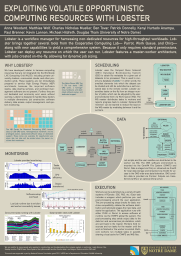
Lobster runs effectively on O(10K) cores so far, depending on the CPU/IO ratio of the jobs. These two graphs show the behavior of a production run on top of HTCondor at Notre Dame hitting up to 10K cores over the course of a 48-hour run. The top graph shows the number of tasks running simultaneously, while the bottom shows the number of tasks completed or failed in each 10-minute interval. Note that about two thirds of the way through, there is a big hiccup, due to an external network outages. Lobster accepts the failures and keeps on going.
Lobster has been a team effort between Physics, Computer Science, and the Center for Research Computing: Anna Woodard and Matthias Wolf have taken the lead in developing the core software; Ben Tovar, Patrick Donnelly, and Peter Ivie have improved and debugged Work Queue, Parrot, and Chirp along the way; Charles Mueller, Nil Valls, Kenyi Anampa, and Paul Brenner have all worked to deploy the system at scale in production; Kevin Lannon, Michael Hildreth, and Douglas Thain provide the project leadership.
| Anna Woodard, Matthias Wolf, Charles Nicholas Mueller, Ben Tovar, Patrick Donnelly, Kenyi Hurtado Anampa, Paul Brenner, Kevin Lannon, and Michael Hildreth, Exploiting Volatile Opportunistic Computing Resources with Lobster, Computing in High Energy Physics, January, 2015. |
| Anna Woodard, Matthias Wolf, Charles Mueller, Nil Valls, Ben Tovar, Patrick Donnelly, Peter Ivie, Kenyi Hurtado Anampa, Paul Brenner, Douglas Thain, Kevin Lannon and Michael Hildreth, Scaling Data Intensive Physics Applications to 10k Cores on Non-Dedicated Clusters with Lobster, IEEE Conference on Cluster Computing, September, 2015. |
Friday, May 1, 2015
CMS Analysis on 10K Cores with Lobster
The CMS physics group at Notre Dame has created Lobster, a data analysis system that runs on O(10K) cores to process data produced by the CMS experiment at the LHC. Lobster uses Work Queue to dispatch tasks to thousands of machines, Parrot with CVMFS to deliver the complex software stack from CERN, XRootD to deliver the LHC data, and Chirp and Hadoop to manage the output data.
By using these technologies, Lobster is able to harness arbitrary machines and bring along the CMS computing environment wherever it goes. At peak, Lobster at ND delivers capacity equal to that of a dedicated CMS Tier-2 facility! (read more here)
Friday, August 1, 2014
Packaging Applications with Parrot 4.2.0
CCTools 4.2.0 includes a new feature in Parrot that allows you to automatically observe all of the files used by a given application, and then collect them up into a self-contained package. The package can then be moved to another machine -- even a different variant of Linux -- and then run correctly with all of its dependencies present. The created package does not depend upon Parrot and can be re-run in a variety of ways.
This article explains how to generate a self-contained package and then share it so that others can verify can repeat your applications. The whole process involves three steps: running the original application, creating the self-contained package, and the running the package itself.
Step 1: Run the original program
Run your program under parrot_run and record the filename list and environment variables by using --name-list and --env-list parameters.
parrot_run --name-list namelist --env-list envlist /bin/bash
After the execution of this command, you can run your program inside parrot_run. At the end of step 1, one file named namelist containing all the accessed file names and one file named envlist containing environment variables will be generated. After everything is done, simple exit the shell.
Step 2: Generate a self-contained package
Use parrot_package_create to generate a package based on the namelist and envlist generated in step 1.
parrot_package_create --name-list namelist --env-path envlist --package-path /tmp/package
This command causes all of the files given in the name list to be copied into the package directory /tmp/package. You may customize the contents of the package by editing the namelist or the package directory by hand.
Step 3: Repeat the program using the package
The newly created package is simply a complete filesystem tree that can be moved to any convenient location. It can be re-run by any method that treats the package as a self-contained root filesystem. This can be done by using Parrot again, by setting up a chroot environment, by setting up a Linux container, or by creating a virtual machine.
To run the package using Parrot, do this:
parrot_package_run --package-path /tmp/package /bin/bash
To run the package using chroot, do this:
chroot_package_run --package-path /tmp/package /bin/bash
In both cases, you will be dropped into a shell in the preserved environment, where all the files used by the original command will be present. You will definitely be able to run the original command -- whether you can run other programs depends upon the quantity of data preserved.
For more information, see these man pages:
This article explains how to generate a self-contained package and then share it so that others can verify can repeat your applications. The whole process involves three steps: running the original application, creating the self-contained package, and the running the package itself.
![]() |
| Figure 1 Packaging Procedure |
Run your program under parrot_run and record the filename list and environment variables by using --name-list and --env-list parameters.
parrot_run --name-list namelist --env-list envlist /bin/bash
After the execution of this command, you can run your program inside parrot_run. At the end of step 1, one file named namelist containing all the accessed file names and one file named envlist containing environment variables will be generated. After everything is done, simple exit the shell.
Step 2: Generate a self-contained package
Use parrot_package_create to generate a package based on the namelist and envlist generated in step 1.
parrot_package_create --name-list namelist --env-path envlist --package-path /tmp/package
This command causes all of the files given in the name list to be copied into the package directory /tmp/package. You may customize the contents of the package by editing the namelist or the package directory by hand.
The newly created package is simply a complete filesystem tree that can be moved to any convenient location. It can be re-run by any method that treats the package as a self-contained root filesystem. This can be done by using Parrot again, by setting up a chroot environment, by setting up a Linux container, or by creating a virtual machine.
To run the package using Parrot, do this:
parrot_package_run --package-path /tmp/package /bin/bash
To run the package using chroot, do this:
chroot_package_run --package-path /tmp/package /bin/bash
In both cases, you will be dropped into a shell in the preserved environment, where all the files used by the original command will be present. You will definitely be able to run the original command -- whether you can run other programs depends upon the quantity of data preserved.
For more information, see these man pages:
Tuesday, June 3, 2014
CCL Papers at CCGrid 2014
Three papers from the CCL were presented at the 2014 IEEE Conference on Cluster, Cloud, and Grid Computing in Chicago:
- Paul Brenner presented a regular paper,
Opportunistic High Energy Physics Computing in User Space with Parrot which shows how we use Parrot to provide transparent access to complex software stacks without requiring a dedicated shared file system. - Olivia Choudhury presented Accelerating Comparative Genomics Workflows in a Distributed Environment with Optimized Data Partitioning at the C4Bio Workshop. This paper explores various strategies for data partitioning in bioinformatics applications; showing that partitioning for parallel execution must be specialized to the objective of the underlying tool.
- Nick Hazekamp presented a poster, Expanding Tasks of Logical Workflows into Independent Workflows for Improved Scalability in which he demonstrated a technique for transparently parallelizing components of a Galaxy workflow using Makeflow.
Monday, October 1, 2012
Global Access to High Energy Physics Software with Parrot and CVMFS
Scientists searching for the Higgs boson have profited from Parrot's new support for the CernVM Filesystem (CVMFS), a network filesystem tailored to providing world-wide access to software installations. By using Parrot, CVMFS, and additional components integrated by the Any Data, Anytime, Anywhere project, physicists working in the Compact Muon Solenoid experiment have been able to create a uniform computing environment across the Open Science Grid.
Instead of maintaining large software installations at each
participating institution, Parrot is used to provide access to a single
highly-available CVMFS installation of the software from which files are
downloaded as needed and aggressively cached for efficiency. A pilot
project at the University of Wisconsin has demonstrated the feasibility
of this approach by exporting excess compute jobs to run in the Open
Science Grid, opportunistically harnessing 370,000 CPU-hours across 15
sites with seamless access to 400 gigabytes of software in the Wisconsin
CVMFS repository.
- Dan Bradley, University of Wisconsin and the Open Science Grid
Monday, November 8, 2010
Sometimes It All Comes Together
Most days, software engineering involves compromises and imperfect solutions. It's rare for two pieces of software to mesh perfectly -- you always have to work to overcome the limitations or assumptions present in different modules. But, every once in a while, the pieces just come together in a satisfying way.
A few weeks back, we ran into a problem with BXGrid, our system for managing biometric data. Our users had just ingested a whole pile of new images and videos, and were browsing and validating the data. Because data was recently ingested, no thumbnails had been generated yet, so every screenful required a hundred or so thumbnails to be created from the high resolution images. Multiple that by each active user, and you have a web site stuck in the mud.
A better solution would be to generate all of the missing thumbnails offline in an orderly way. Since many of the transcoding operations are compute intensive, it makes sense to farm them out to a distributed system.
Peter Bui -- a graduate student in our group -- solved this problem elegantly by putting together almost all of our research software simultaneously. He used Weaver as the front-end language to query BXGrid and determine what thumbnails needed to be generated. Weaver generated a Makeflow to perform all of the transcodings. Makeflow used Work Queue to execute the tasks, with the Workers submitted to our campus Condor pool.
So far, so good. But, the missing piece was that Makeflow expects data to be available as ordinary files. At the time, this would have required that we copy several terabytes out of the archive onto the local disk, which wasn't practical. So, Peter wrote a module for Parrot which enabled access to BXGrid files under paths like /bxgrid/fileid/123. Then, while attached to Parrot, Makeflow could access the files, being none the wiser that they were actually located in a distributed system.
Put it all together, and you have this:
Sometimes, it all comes together.
A few weeks back, we ran into a problem with BXGrid, our system for managing biometric data. Our users had just ingested a whole pile of new images and videos, and were browsing and validating the data. Because data was recently ingested, no thumbnails had been generated yet, so every screenful required a hundred or so thumbnails to be created from the high resolution images. Multiple that by each active user, and you have a web site stuck in the mud.
A better solution would be to generate all of the missing thumbnails offline in an orderly way. Since many of the transcoding operations are compute intensive, it makes sense to farm them out to a distributed system.
Peter Bui -- a graduate student in our group -- solved this problem elegantly by putting together almost all of our research software simultaneously. He used Weaver as the front-end language to query BXGrid and determine what thumbnails needed to be generated. Weaver generated a Makeflow to perform all of the transcodings. Makeflow used Work Queue to execute the tasks, with the Workers submitted to our campus Condor pool.
So far, so good. But, the missing piece was that Makeflow expects data to be available as ordinary files. At the time, this would have required that we copy several terabytes out of the archive onto the local disk, which wasn't practical. So, Peter wrote a module for Parrot which enabled access to BXGrid files under paths like /bxgrid/fileid/123. Then, while attached to Parrot, Makeflow could access the files, being none the wiser that they were actually located in a distributed system.
Put it all together, and you have this:
Sometimes, it all comes together.
Wednesday, October 27, 2010
From Database to Filesystem and Back Again
Hoang Bui is leading the development of ROARS: a Rich Object Archival System, which is our generalization many of the ideas expressed in the Biometrics Research Grid. Hoang presented a paper on ROARS at the workshop on Data Intensive Distributed Computing earlier this year.
What makes ROARS particularly interesting is that it combines elements of both relational databases and file systems, and makes it possible to swap back and forth between both representations of the data.
A ROARS repository is an unordered collection of items. Each item consists of a binary file and metadata that describes the file. The metadata does not have a schema; you can attach whatever properties you like to an object. Here is an example item consisting of a iris image with five properties:
fileid = 356
subjectid = "S123"
color = "Blue"
camera = "Likon"
date = "23-Oct-2010"
type = "jpeg"
If you like to think in SQL, then you can query the system via SQL and you get back tabular data, as you might expect:
SELECT fileid, subjectid, color FROM irises WHERE color='Blue';
Of course, if you are going to actually process the files in some way, you need to put them into a filesystem where your scripts and tools can access them. For this, you use the EXPORT command, which will produce the files. EXPORT has a neat bit of syntax in which you can specify that the name of each file is generated from the metadata. For example this command:
EXPORT irises WHERE camera='Likon' AS color/subjectid.type
will dump out all of the matching files, put them into directories according to color, and name each file according to the subject and the file type. The example above would be named "Blue/S123.jpeg". (If the naming scheme doesn't result in unique filenames, then you need to adjust it to include something that is unique like fileid.)
Of course, if you are going to process a huge amount of data, then you don't actually want to copy all of it out to your local filesystem. Instead what you can do is create a "filesystem view" which is a directory tree containing pointers back to the objects in the repository. That has a very similar syntax:
VIEW irises WHERE camera='Likon' AS color/subjectid.type
Creating a filesystem view is much faster than exporting the actual data. Now, you can run your programs or scripts to iterate over the files. As they open up each file, the repository is accessed directly to open and read the necessary file data. (This is accomplished transparently by using Parrot to connect to the repository.)
The end result: a database that looks like a filesystem!
What makes ROARS particularly interesting is that it combines elements of both relational databases and file systems, and makes it possible to swap back and forth between both representations of the data.
A ROARS repository is an unordered collection of items. Each item consists of a binary file and metadata that describes the file. The metadata does not have a schema; you can attach whatever properties you like to an object. Here is an example item consisting of a iris image with five properties:
fileid = 356subjectid = "S123"
color = "Blue"
camera = "Likon"
date = "23-Oct-2010"
type = "jpeg"
If you like to think in SQL, then you can query the system via SQL and you get back tabular data, as you might expect:
SELECT fileid, subjectid, color FROM irises WHERE color='Blue';
Of course, if you are going to actually process the files in some way, you need to put them into a filesystem where your scripts and tools can access them. For this, you use the EXPORT command, which will produce the files. EXPORT has a neat bit of syntax in which you can specify that the name of each file is generated from the metadata. For example this command:
EXPORT irises WHERE camera='Likon' AS color/subjectid.type
will dump out all of the matching files, put them into directories according to color, and name each file according to the subject and the file type. The example above would be named "Blue/S123.jpeg". (If the naming scheme doesn't result in unique filenames, then you need to adjust it to include something that is unique like fileid.)
Of course, if you are going to process a huge amount of data, then you don't actually want to copy all of it out to your local filesystem. Instead what you can do is create a "filesystem view" which is a directory tree containing pointers back to the objects in the repository. That has a very similar syntax:
VIEW irises WHERE camera='Likon' AS color/subjectid.type
Creating a filesystem view is much faster than exporting the actual data. Now, you can run your programs or scripts to iterate over the files. As they open up each file, the repository is accessed directly to open and read the necessary file data. (This is accomplished transparently by using Parrot to connect to the repository.)
The end result: a database that looks like a filesystem!
Thursday, October 1, 2009
Partly Cloudy with a Chance of Condor
We have been thinking about cloud computing quite a bit over the last month. As I noted earlier, cloud computing is hardly a new idea, but it does add a few new twists on some old concepts in distributed systems. So, we are spending some time to understand how we can take our existing big applications and make them work with cloud systems and software. It should come as no surprise that there are a number of ways to use Condor to harness clouds for big applications.
Two weeks ago, I gave a talk titled Science in the Clouds at an NSF workshop on Cloud Computing and the Geosciences. One of the points that I made was that although clouds make it easy to allocate new machines that have exactly the environment you want, they don't solve the problem of work management. That is, if you have one million tasks to do, how do you reliably distribute them between your workstation, your campus computer center, and your cloud workforce? For this, you need some kind of job execution system, which is largely what grid computing has focused on:

As it stands, Condor is pretty good at managing work across multiple different kinds of systems. In fact, today you can go to a commercial service like Cycle Computing, who can build an on-demand Condor pool by allocating machines from Amazon:

Just today, we hosted Dhruba Borthakur at Notre Dame. Dhruba is the project lead for the open source Apache Hadoop system. We are cooking up some neat ways for Condor and Hadoop to play together. As a first step, one of my students Peter Bui has cooked up a module for Parrot that talks to HDFS, the Hadoop file system. This allows any Unix program -- not just Java -- talk to HDFS, without requiring the kernel configuration and other headaches of using FUSE. Then, you can submit your jobs into a Condor pool and allow them to access data in HDFS as if it were a local file system. The next step is to co-locate the Condor jobs with the Hadoop data that they want to access.

Finally, if you are interested in cloud computing, you should attend CCA09 - Cloud Computing and Applications - to be held in Chicago on October 20th. This will be a focused, one day meeting with speakers from industry, academia who are both building and using cloud computers.
Subscribe to:
Posts (Atom)